The Apphubic client portal centralizes all your development requests in one clear and structured space. Instead of spreading information across emails, calls, voice messages, screenshots or informal discussions, you get one professional tool to submit, track and organize each request.
The strength of the portal is simple: turn ideas, issues, feedback or urgent needs into actionable tasks, linked to the right project and ready to be handled efficiently.
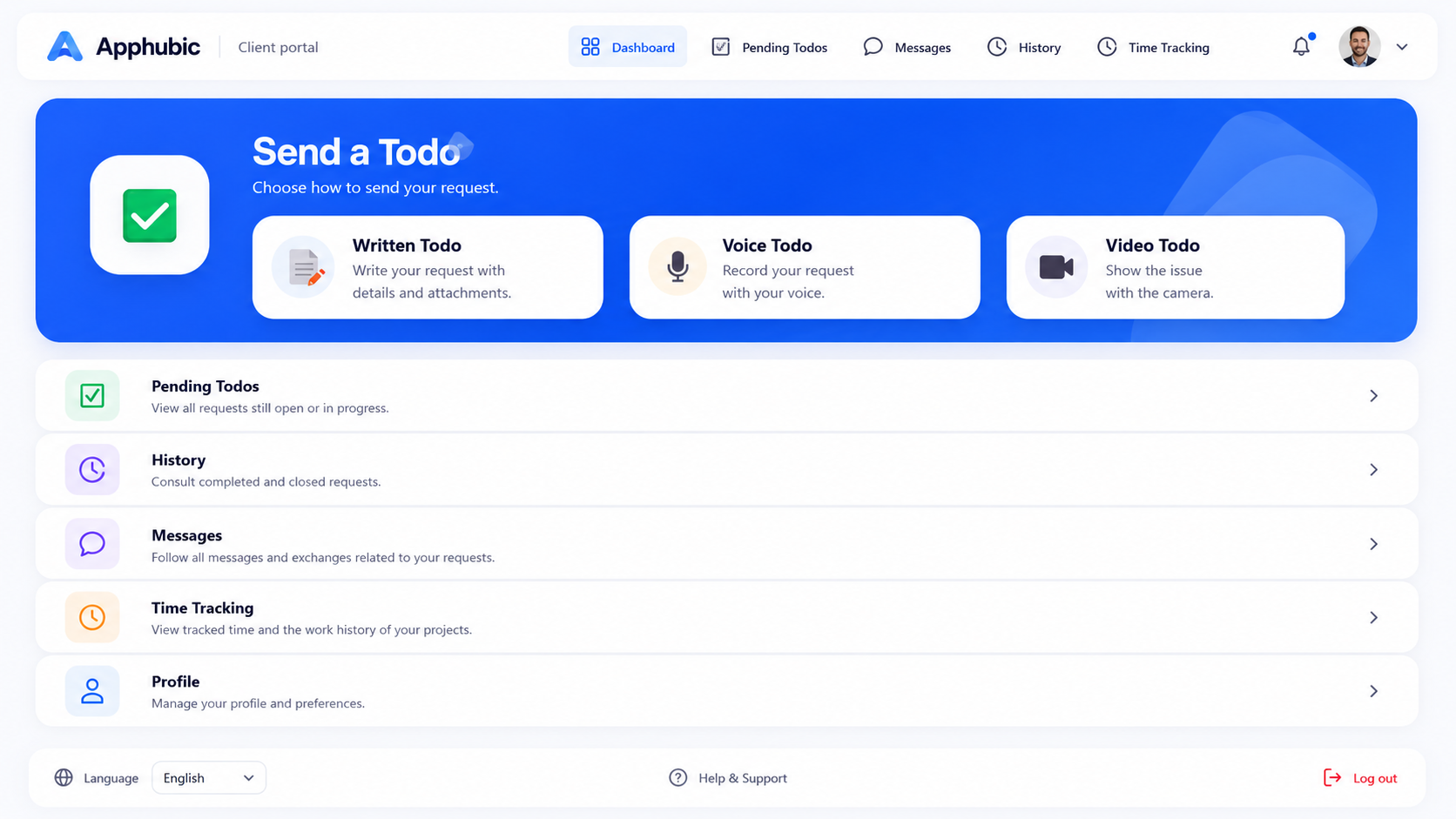
Write a clear request, select the related project and attach useful files.
Record a quick voice message. It can then be transcribed into an actionable written request.
Film a screen, an issue or a situation. The video can be viewed directly inside the todo.
Preview of the client portal with written todos, voice todos and video todos. This interface is reserved for Apphubic clients and helps manage development requests in a clear, professional and structured way.
Each request can include the related project, priority, description, attachments, voice message or video. Your developer receives a complete and contextualized request that is easier to understand and process.
Each request is linked to the right project to avoid confusion and speed up handling.
Add screenshots, documents, images or files to describe the request more precisely.
Review pending requests, closed tasks and the history of your exchanges.
Explain a request orally. The voice message can be transcribed into a written todo.
Videos can be viewed directly inside the todo without opening a separate link.
Mark a request as urgent to draw attention to an important point.
The portal is not only a contact form. It structures communication, identifies the person sending the request and keeps a professional history.
If several people in your company use the portal, each access can be identified: management, assistant, accounting, project manager and more.
Your company can have multiple user accesses, with the ability to activate or disable users.
Relevant people can receive clear notifications when a request is submitted or updated.
Pending and closed requests remain available to keep a clear record of the work.
Questions and answers can be centralized to avoid scattered messages and information loss.
The portal can support tracked time and reports related to completed tasks.
Development requests are hard to follow when they arrive through emails, calls, WhatsApp or informal discussions. The portal turns them into structured, tracked and actionable requests.
The client portal is a key strength of the Apphubic service: it professionalizes requests, simplifies follow-up and improves the quality of custom development work.